


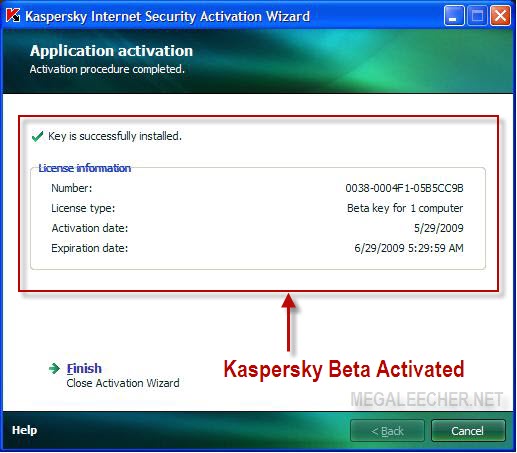
The simple registry hack changes Kaspersky product status from Release to Beta which makes users activate and update Kaspersky products as free beta versions while using stable final releases, I tested the hack on Kaspersky Internet Security 2009 and it worked fine as shown ahead.
Note : This is posted here for educational purpose only, using this trick might be illegal, use at your own risk.
- Right-click Kaspersky Internet Security/
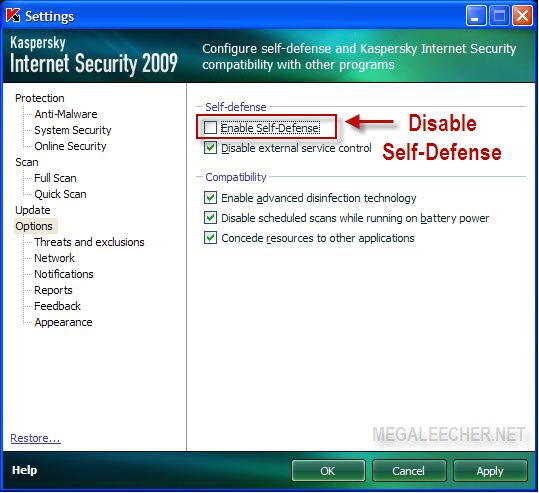
Anti-Virus icon insystem-tray and select Settings. - Now click the Options link and un-check Enable Self-Defense as shown below.
- Launch Windows Registry editor by entering regedit and clicking OK in Windows Run Dialog (Start -> Run).
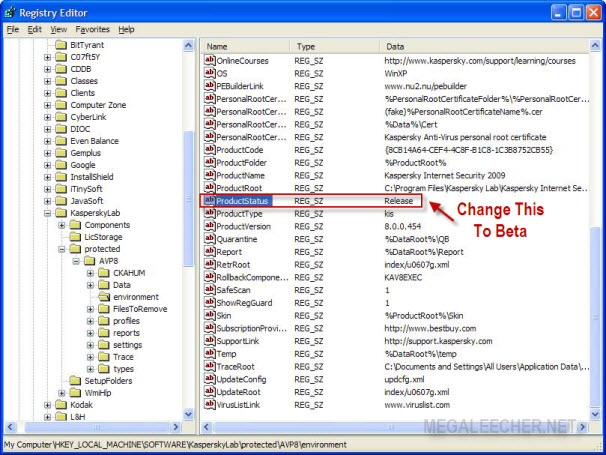
- Navigate to HKEY_LOCAL_MACHINE\SOFTWARE\KasperskyLab\
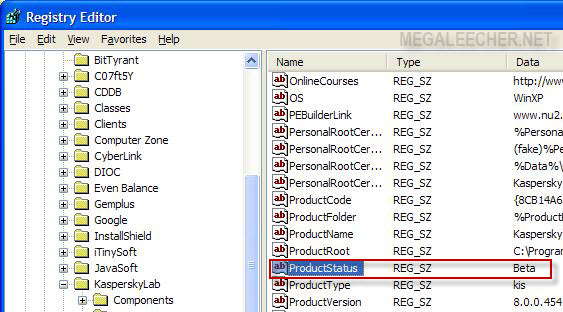
protected \AVP8\environment and select ProductStatus key in right-side panel. - Change the key-value from Release to Beta, close registry editor and enable self-defense in Kaspersky.
- Now, reboot your computer.
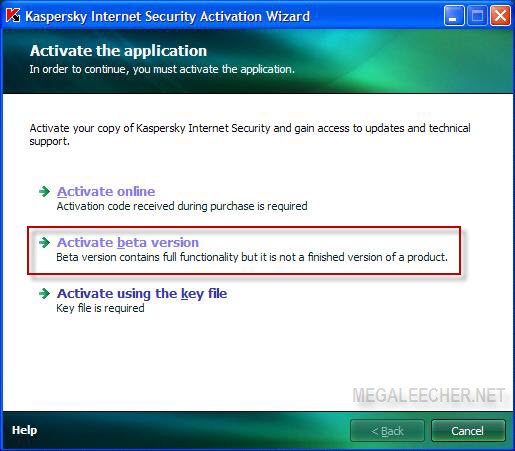
- After rebooting right-click Kaspersky icon in system-tray and select Activate..., a new option Activate beta version should now be available in activation dialog, click it to proceed.
- You should be
connected to internet and it will display the activation success message, your BETA license will be valid for 30 days but you can re-perform the process again to get another 30 day license and so on for unlimited access.
I am sure Kaspersky will disable this backdoor in their upcoming releases but as you all know the game continues.


